EVO GIMBALS REMOTE1.53
Publisher Description
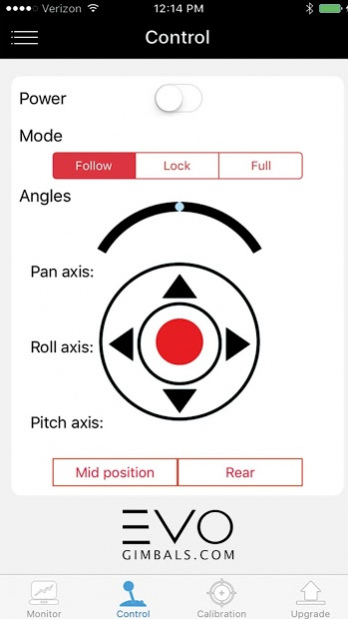
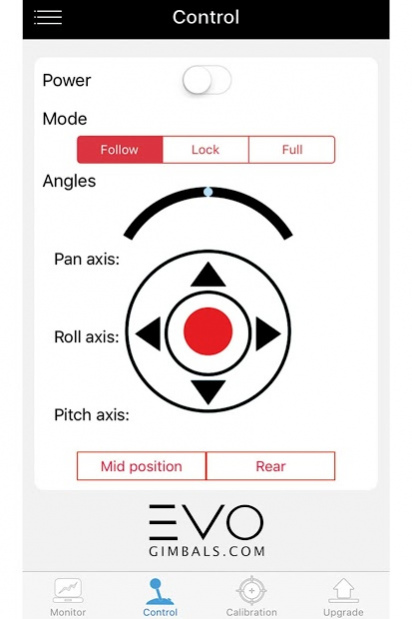
EVO Gimbals Remote APP allows you to wirelessly connect to your bluetooth enabled EVO gimbal right from your smartphone. Wirelessly control the Tilt, Pan and Roll angles of your camera as well as the operating modes right from the control tab of the APP.
The EVO Gimbals Remote APP also allows you to fine tune the performance of your gimbal to your shooting style. Adjust variables such as dead band and follow rates right from the APP settings sub-menu.
To maintain peak performance of your gimbal especially in big changes in operating temperature of your gimbal - the offline 6 point IMU sensor calibration can be done on the calibration tab of the APP. Simply start the calibration and follow the positions on the screen.
Firmware upgrades can also be wireless downloaded and uploaded to the gimbal through the update tab of the APP.
About EVO GIMBALS REMOTE
The company that develops EVO GIMBALS REMOTE is EVOGimbals.com. The latest version released by its developer is 1.53. This app was rated by 1 users of our site and has an average rating of 3.0.
To install EVO GIMBALS REMOTE on your Android device, just click the green Continue To App button above to start the installation process. The app is listed on our website since 2016-12-27 and was downloaded 155 times. We have already checked if the download link is safe, however for your own protection we recommend that you scan the downloaded app with your antivirus. Your antivirus may detect the EVO GIMBALS REMOTE as malware as malware if the download link to com.evo.gimbal is broken.
How to install EVO GIMBALS REMOTE on your Android device:
- Click on the Continue To App button on our website. This will redirect you to Google Play.
- Once the EVO GIMBALS REMOTE is shown in the Google Play listing of your Android device, you can start its download and installation. Tap on the Install button located below the search bar and to the right of the app icon.
- A pop-up window with the permissions required by EVO GIMBALS REMOTE will be shown. Click on Accept to continue the process.
- EVO GIMBALS REMOTE will be downloaded onto your device, displaying a progress. Once the download completes, the installation will start and you'll get a notification after the installation is finished.
Program Details
System requirements
Download information
Pricing
Version History
version 1.53
posted on 2016-12-27
EVO Gimbals Remote APP v1.53 updates:
- Improved Control Screen Interface Update with dual thumb-sticks for more precise remote control of Pan and Tilt axis.
- New Camera APP integrates with new SP-PRO model for Bluetooth enabled Shutter and Zoom Camera controls from handle.
- Basic Face Tracking, Keeps subject framed in shot while in lock mode.
- Improved user interface for better user experience.
